Our Blog

Our Blog

How to Connect an M1 MacBook to Apple Servers

Connecting your M1 MacBook to Apple’s servers is essential for activation, software updates, and using iCloud services. If you’re encountering issues, here is a step-by-step guide to troubleshooting and ensuring a successful connection.

1. Check Apple’s System Status

Before troubleshooting your device, ensure the issue isn’t on Apple’s end. Visit the Apple System Status page to check for any outages related to macOS Software Update, iCloud, or Activation.

2. Verify Your Internet Connection

Ensure your MacBook is connected to a stable Wi-Fi network or Ethernet.

Read More →


Our Blog

The Hidden Dangers: Why Your Laptop and Your Coffee Don't Mix

Fluid damage is one of the most common and complex issues we handle here at Dr. Chip. While a quick spill might seem like a minor inconvenience, it can trigger a devastating chain reaction inside your computer.

Why Liquid Damage is So Hard to Fix

When fluid enters your machine, it doesn’t just ‘dry out’. Even after the liquid evaporates, it leaves behind minerals and sugar (if it was a drink) that cause corrosion. This corrosion eats away at the delicate logic board traces and solder joints, creating electrical shorts that can occur days or even weeks after the initial spill. Repairing this often requires ultrasonic cleaning and microscopic logic board repair, which is far more intensive than a simple parts swap.

Read More →
Our Blog

How to know if your Mac screen needs replacing

Your Mac’s display is one of its most critical components. When it starts showing problems, it can range from a minor annoyance to making your computer completely unusable. Here’s how to know when it’s time for a professional screen replacement.

Visible Cracks or Chips

The most obvious sign is physical damage. Even a small crack can spread over time due to temperature changes and normal use. If you see any cracks in your display glass or LCD panel, it’s best to get it replaced before the damage worsens.

Read More →
Our Blog

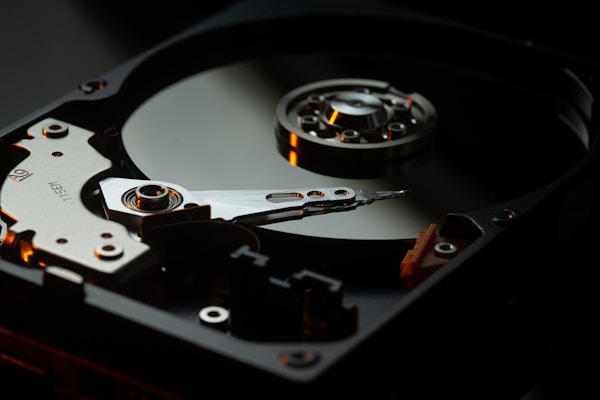
5 Signs your hard drive is failing

Your hard drive stores everything — your documents, photos, music, and the operating system itself. When it starts to fail, you could lose it all. Here are five warning signs to watch for.

1. Slow Performance

If your Mac takes significantly longer to boot, open applications, or save files, your hard drive may be struggling. While slow performance can have many causes, a failing drive is one of the most serious.

Read More →

We are here to help you!

Have a Queries? Work enquiries? Drop us an email and we shall get back to you in a working day.

We serve San Diego County, including Clairemont, Pacific Beach, UTC, La Jolla, Banker's Hill, Downtown, Ocean Beach, Mission Valley, Chula Vista, as well as zip codes 92110, 92111, 92123, 92117, 92109, 92037, 92122, 92103, 92101, 92107, 92108, 91911 and beyond.